Automatic top-up of your e-TOLL account. What is this feature and how to enable it?
May 12, 2026
#recommended
Automatic account top-up in e-TOLL is a feature available on prepaid accounts with an active payment method (prepayment), which automatically credits the user’s account with a specified amount (e.g. PLN 100,00), eliminating the need for top-ups with cash or cashless methods.
You can check your current balance in the e-TOLL PL mobile app, via your Online Customer Account, or by contacting the Call center.
How to enable the feature
To set up automatic top-ups, please:
log in to your Online Customer Account (OCA),
select an active entity
go to the “Financing” section and select the relevant type of funding (i.e. prepayment),
top up your account using a payment/fleet card,
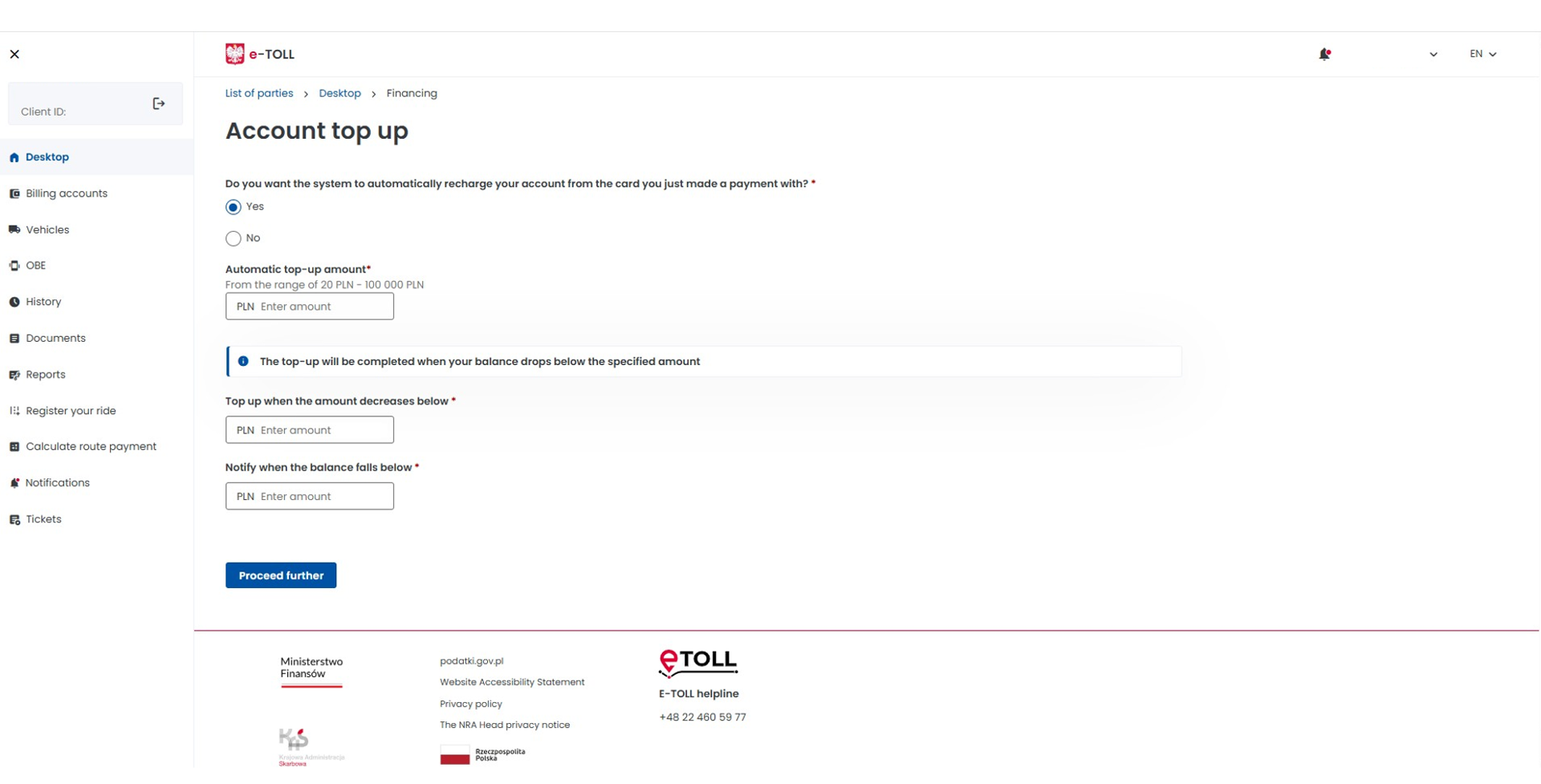
select “Yes” when asked: “Do you want the system to automatically recharge your account from the card you just made a payment with?”
define the automatic top-up amount,
set the automatic top-up parameters, i.e. specify the minimum balance at which the account should be automatically topped up and receive a balance notification.
Once the automatic top-up has been successfully completed, a system confirmation will be sent to the registered email address and via OCA.
The automatic top-up only works if:
the feature is enabled on the billing account,
a valid payment card or fleet card (with sufficient funds and within its validity period) is linked to the account.
OCA – account top-up view:
Changing your payment or fleet card
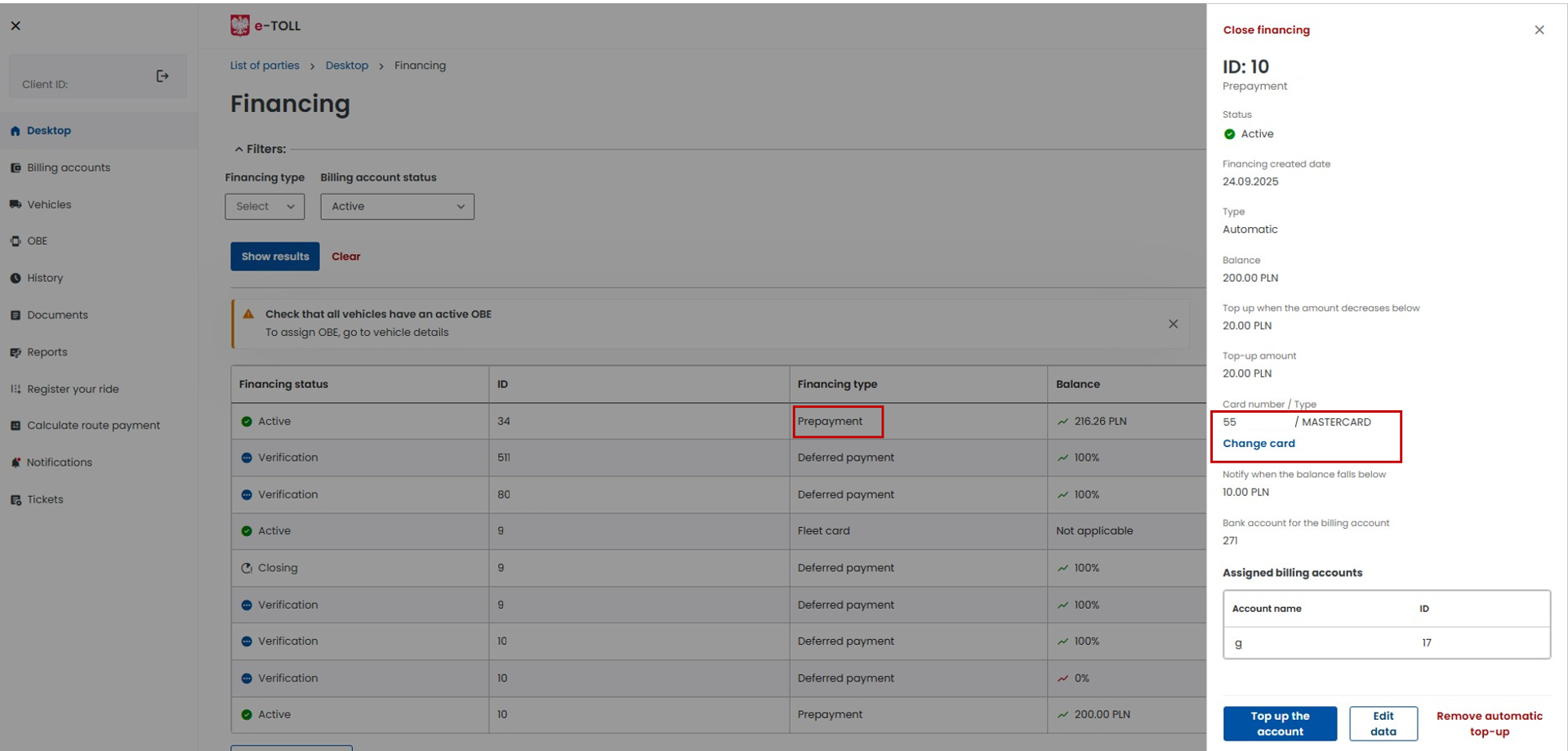
If you change your payment or fleet card (e.g. due to expiry or other circumstances), switch to the active “prepaid” funding type and then select “Change card”.
OCA – card modification view: